
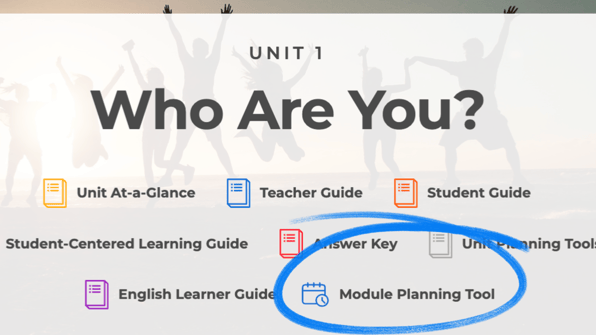

Planning your next CORE lesson? We’re excited to introduce the Module Planning Tool, designed to support your day-to-day teaching. You can create a lesson plan directly from any CORE ELAR unit or module, giving you a starting point for your work with students.
Follow these steps:
- Log in to learn.thinkcerca.com
- Either at the Unit or Module level, click on the Module Planning Tool button
- Under the Grade dropdown menu, select the grade you’re teaching
- Set the basic parameters for your plan
➡️ Choose the number of sessions (1–10).
➡️ Choose minutes per session (20–90).
➡️ See total time calculated automatically.
➡️Compare against a recommended time range (150–250 min).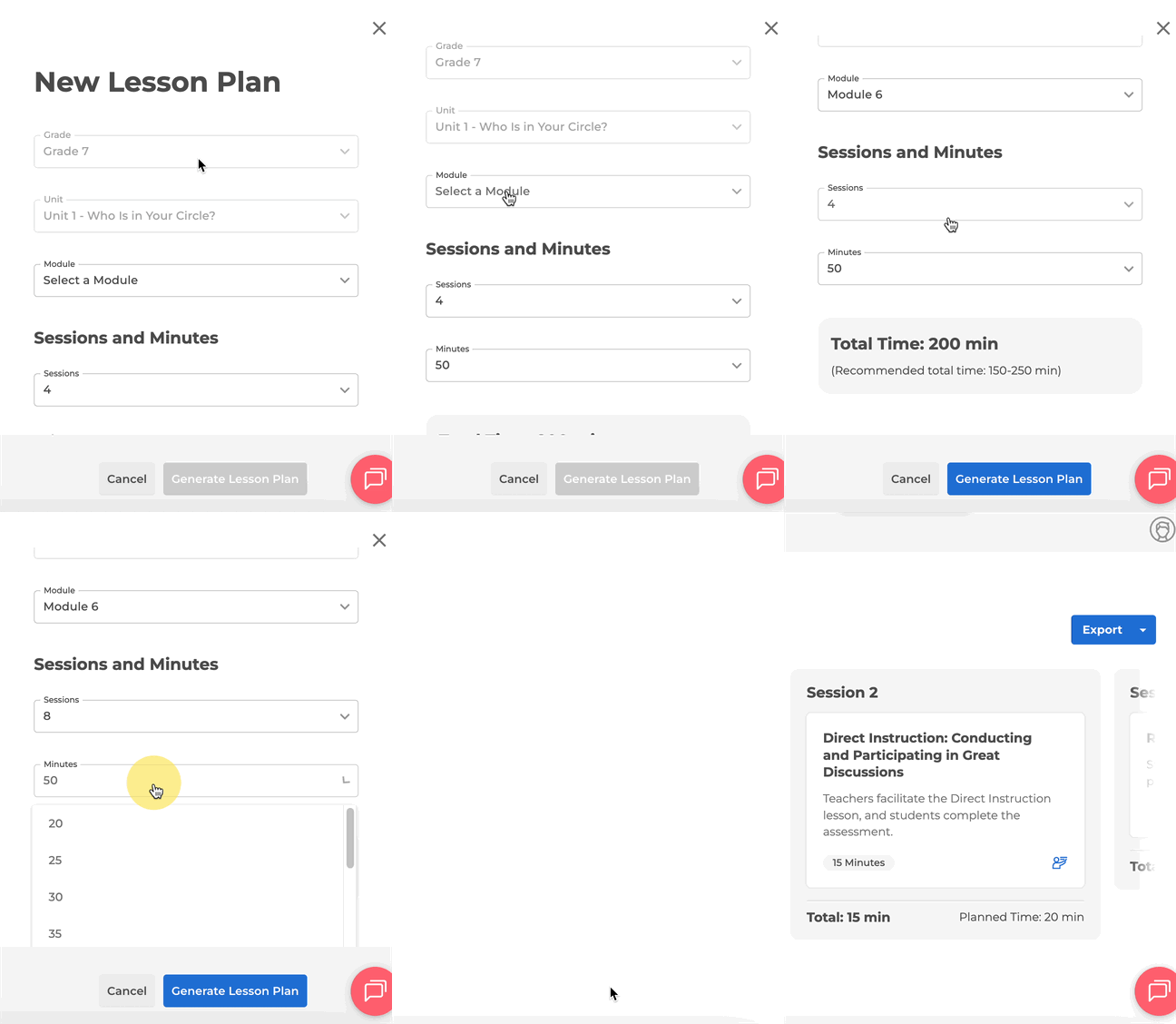
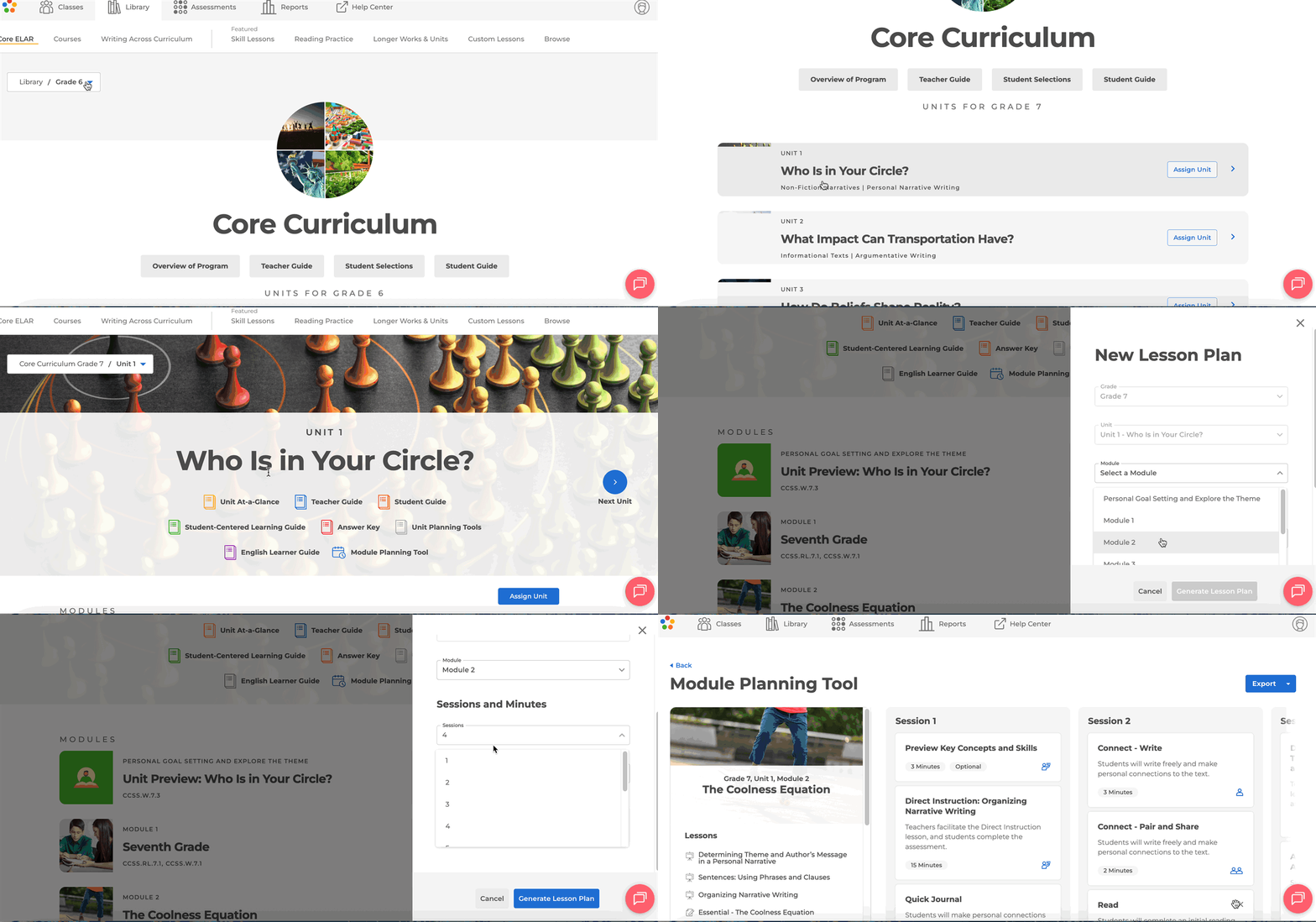
5. Click Generate Lesson Plan to receive a full lesson plan
The structure for the Lesson Plan follows the CORE ELAR module’s progression and is aligned with the approved design.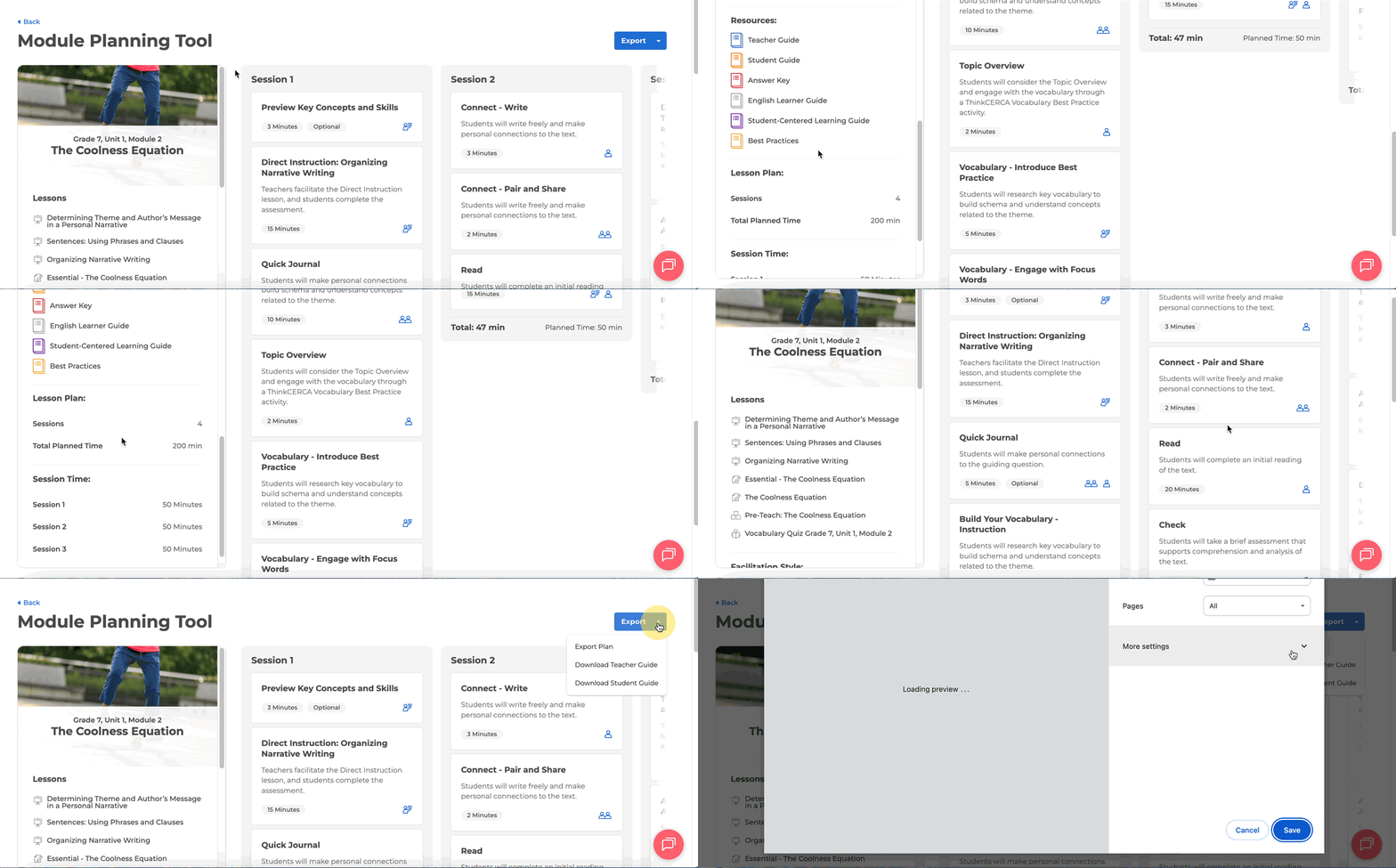
6. You can click on Export to print the generated lesson plan. The final plan and slides are available in a shareable, printable format.
Please reach out to support@thinkcerca.com with any questions.